Reviews on


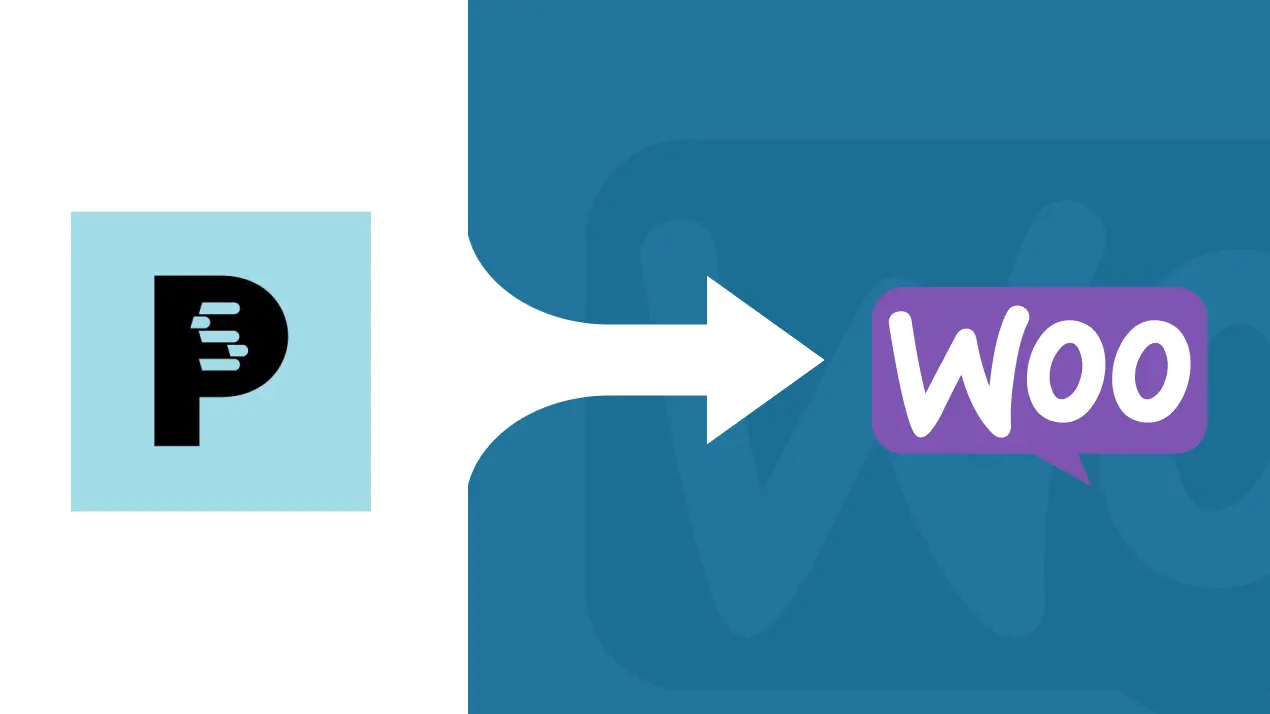
If you’ve been running your PrestaShop store for a while, you probably know the feeling. It works, but it can also feel heavy, limited, and not as flexible as you’d like. Many store owners reach a point where they want more control, better integrations, and a smoother way to grow. That’s when WooCommerce comes into the picture.
Switching from PrestaShop to WooCommerce isn’t about starting from zero. It’s more like moving into a new shop on the same street. You keep your products, customers, and orders, but set them up in a space that’s easier to manage and expand. With the right migration process and the right tools, you can make that move without losing your data, your SEO rankings, or your peace of mind.
In this guide, we’ll walk you through how to migrate PrestaShop to a WooCommerce store, the steps involved, and what to watch out for so your transition feels seamless instead of stressful.
- Migrating from a PrestaShop store to a WooCommerce store gives you access to the wider WordPress ecosystem, more customization options, and stronger marketing tools for long-term growth.
- The migration process can be done through manual migration with CSV files, an automated migration tool like FG PrestaShop, or by hiring a professional WooCommerce migration service.
- During data migration, store owners can transfer PrestaShop products, PrestaShop orders, and customer information, while preserving order IDs, customer groups, and SEO URLs to avoid data loss.
- Post-migration tasks include configuring payment gateways, redirecting old store URLs for proper SEO migration, applying security patches, and improving site performance with the right plugins.
- A professional WordPress web development agency can handle complex needs like API integrations, custom plugin development, and ongoing site maintenance, ensuring a seamless transition with ongoing support for online store owners.
Why Consider Migrating from PrestaShop to WooCommerce
PrestaShop is a decent platform, but over time many store owners start feeling restricted. Maybe the customization options are limited. Maybe adding new payment gateways or marketing tools takes too much effort. Or maybe it’s just getting harder to keep the store fast and secure with all the patches and updates.
WooCommerce, on the other hand, opens up a different kind of freedom. Built on WordPress, it gives you access to a huge plugin ecosystem, better SEO tools, and endless room to grow. You can tweak everything from themes and product categories to checkout flows and API integrations. Plus, the WordPress dashboard is straightforward, so managing a WooCommerce site doesn’t feel like a chore.
Another big reason? Scalability. WooCommerce makes it easier to handle more products, customers, and orders without slowing down your store. Whether you’re running a small shop or moving toward an enterprise-level business, it has the flexibility to keep up.
In short, if you’re ready for more control, smoother site performance, and a user-friendly interface that grows with your business, WooCommerce is a strong upgrade from PrestaShop.
Key Preparations Before PrestaShop to WooCommerce Migration
Before you jump into the PrestaShop to WooCommerce migration process, it’s important to get your foundation ready. A few steps taken now will save you from headaches later and make the move to your new WooCommerce store much smoother.
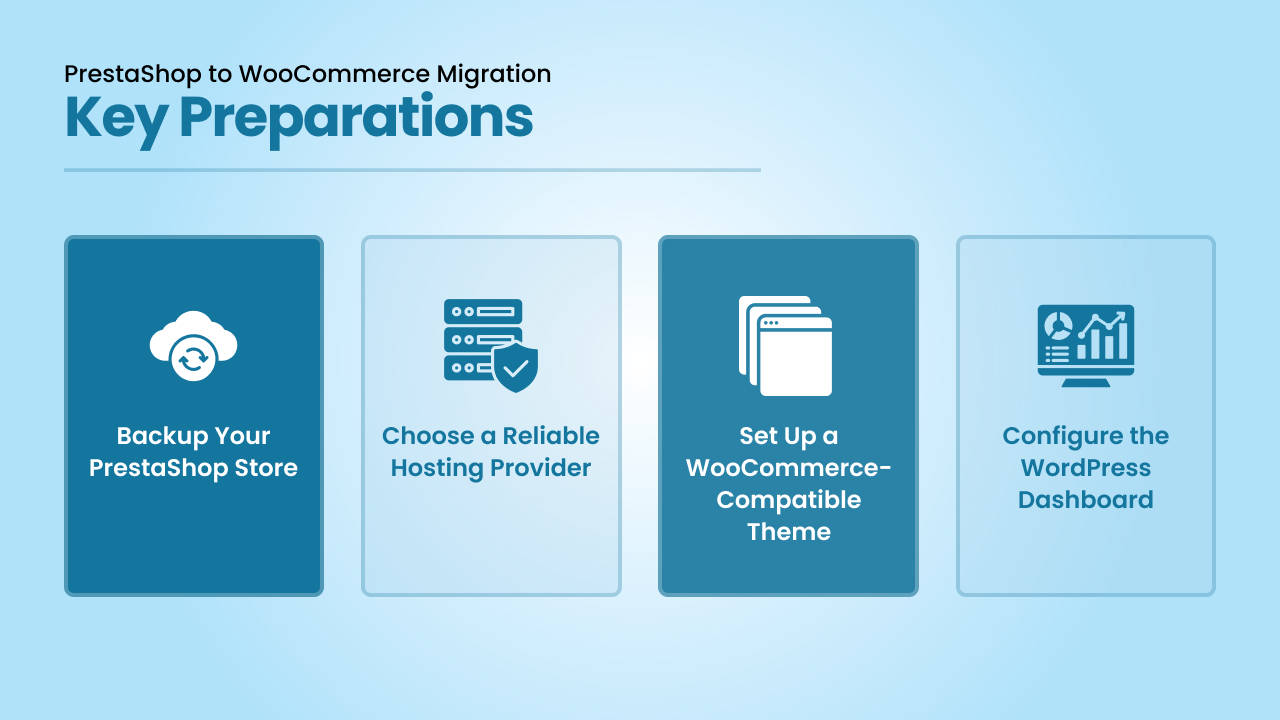
1. Backup Your PrestaShop Store
Always backup your PrestaShop store before starting. This ensures all products, customer data, and order history are safe if anything goes wrong during the migration. Keep both a database backup and a file backup stored securely.
2. Choose a Reliable Hosting Provider
Your WooCommerce site will only run as well as the environment it lives in. Picking a reliable hosting provider is key for speed, uptime, and overall site performance. Look for one that offers security measures like SSL certificates, daily backups, and strong firewalls to protect your data.
3. Set Up a WooCommerce-Compatible Theme
Once WordPress is installed, choose a WooCommerce-compatible theme that fits your brand. A good theme ensures your store looks polished, works well on mobile, and supports all the WooCommerce features you’ll need.
4. Configure the WordPress Dashboard
Get familiar with the WordPress dashboard before migration. Install essential plugins, update the system to the latest WordPress version, and remove anything you don’t need. Having a clean and ready WordPress setup will make the migration smoother and reduce potential conflicts.
Let’s talk about your migration needs and set up your new WooCommerce store the right way.
Methods to Migrate from PrestaShop to WooCommerce
There isn’t just one way to move your PrestaShop store into a WooCommerce store. Depending on your budget, technical comfort level, and long-term plans, you can choose between three main migration methods.
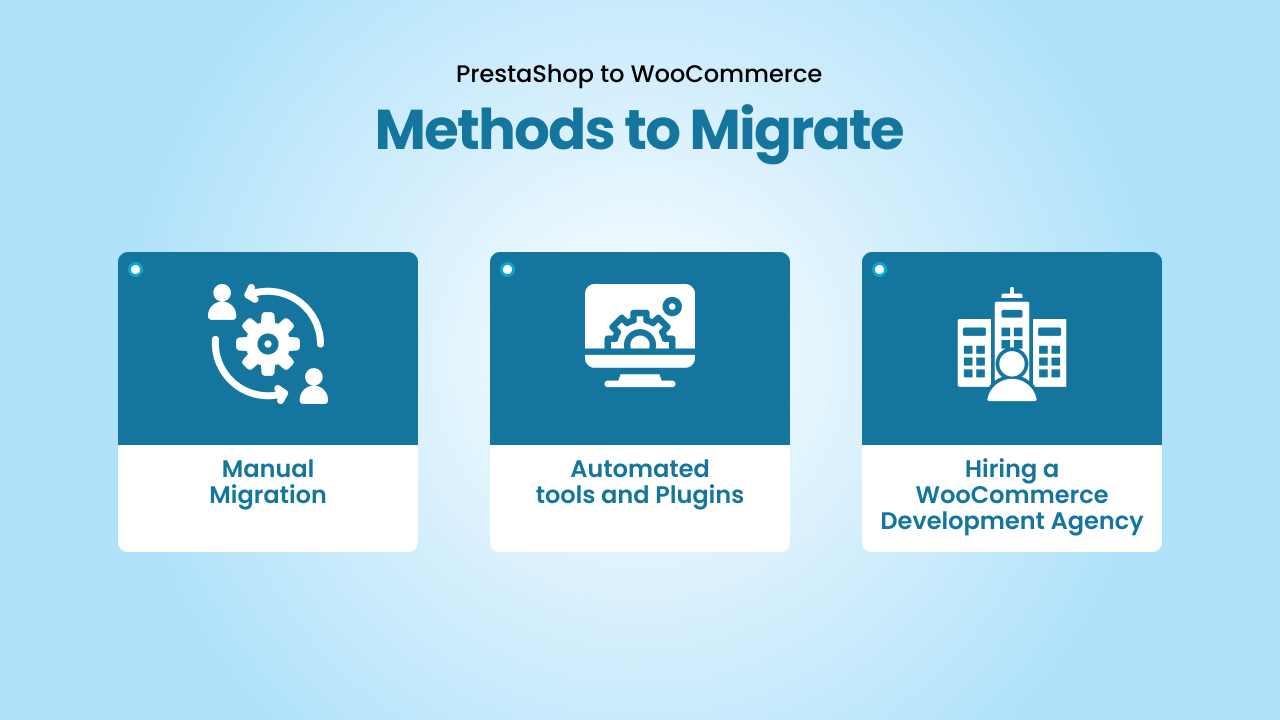
1. Manual Migration
For store owners who prefer full control, a manual migration is an option. This involves exporting data from your PrestaShop site using CSV files, then importing that data into WooCommerce. You’ll have to export data like products, categories, and customers and then import data into the new system. Sometimes, store owners use custom code to handle specific fields or complex setups. While it offers maximum flexibility, this method can be time-consuming and risky if you’re not technically experienced.
2. Automated Tools & Plugins
Most online store owners prefer a faster and easier way, for instance, using automated migration tools. A popular choice is the FG PrestaShop plugin, which simplifies the process. With a good WooCommerce migration plugin, you can perform the transfer with just a few clicks. Many plugins even offer a demo migration or free demo migration so you can test before committing. These migration tools ensure that essential data like products, customers, orders, and URLs are carried over without the manual hassle. Some even offer a free plugin version for small stores.
3. Hiring a WooCommerce Development Agency
If your store is large, complex, or mission-critical, investing in a professional WooCommerce Development company is often the safest path. Experienced development agencies not only handle the migration but also take care of customization options, ensuring the new store matches your brand’s identity. They also apply security patches, improve site performance, and run performance optimization tasks after the migration. This option is usually more costly, but it minimizes risk and ensures your new WooCommerce site is stable and ready for growth.
Step-by-Step PrestaShop to WooCommerce Migration Process
Moving a PrestaShop store to a new WooCommerce store involves several steps. Here’s how you can approach the migration process in a structured way:
1. Export Data from PrestaShop
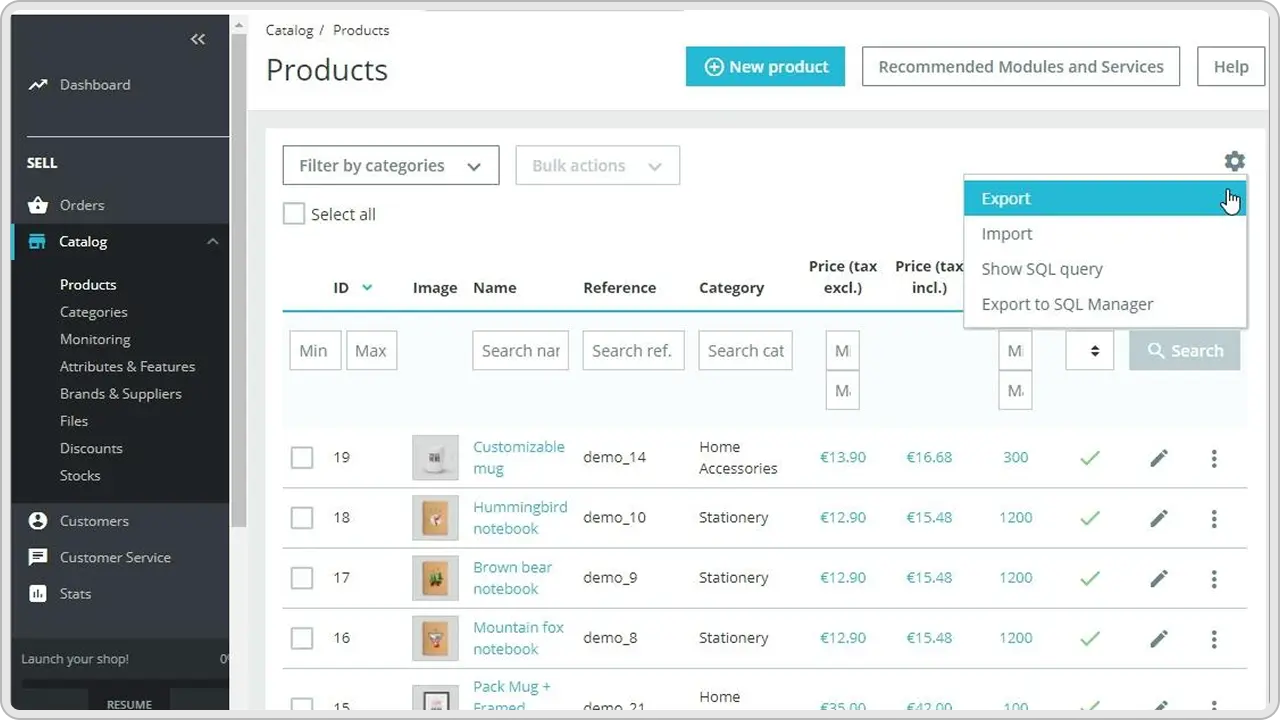
Start by exporting all essential data from your PrestaShop site. This includes:
- PrestaShop products with descriptions, images, and categories
- PrestaShop customers with names, emails, customer groups, and customer passwords
- PrestaShop orders with complete order status history
2. Import Data into WooCommerce
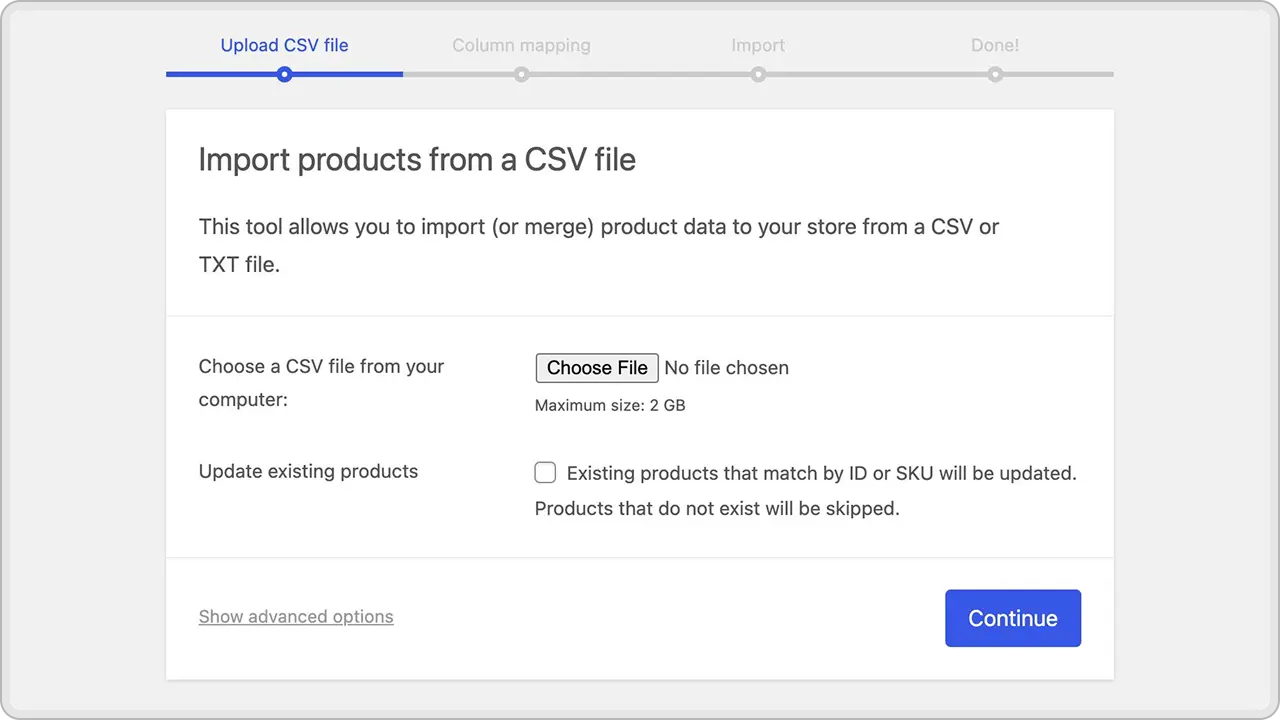
Using your chosen method (manual migration, plugin, or agency service), begin importing the exported files into your new WooCommerce store. Ensure that:
- Products and product categories map correctly
- Orders and order IDs are preserved
- Customer data (including login details) syncs properly
3. Preserve SEO URLs and Rankings
Migrate your SEO URLs and set up redirects to ensure that your PrestaShop URLs point to the correct WooCommerce URLs. This step is critical for maintaining SEO rankings and avoiding broken links on search engines.
4. Configure Store Settings
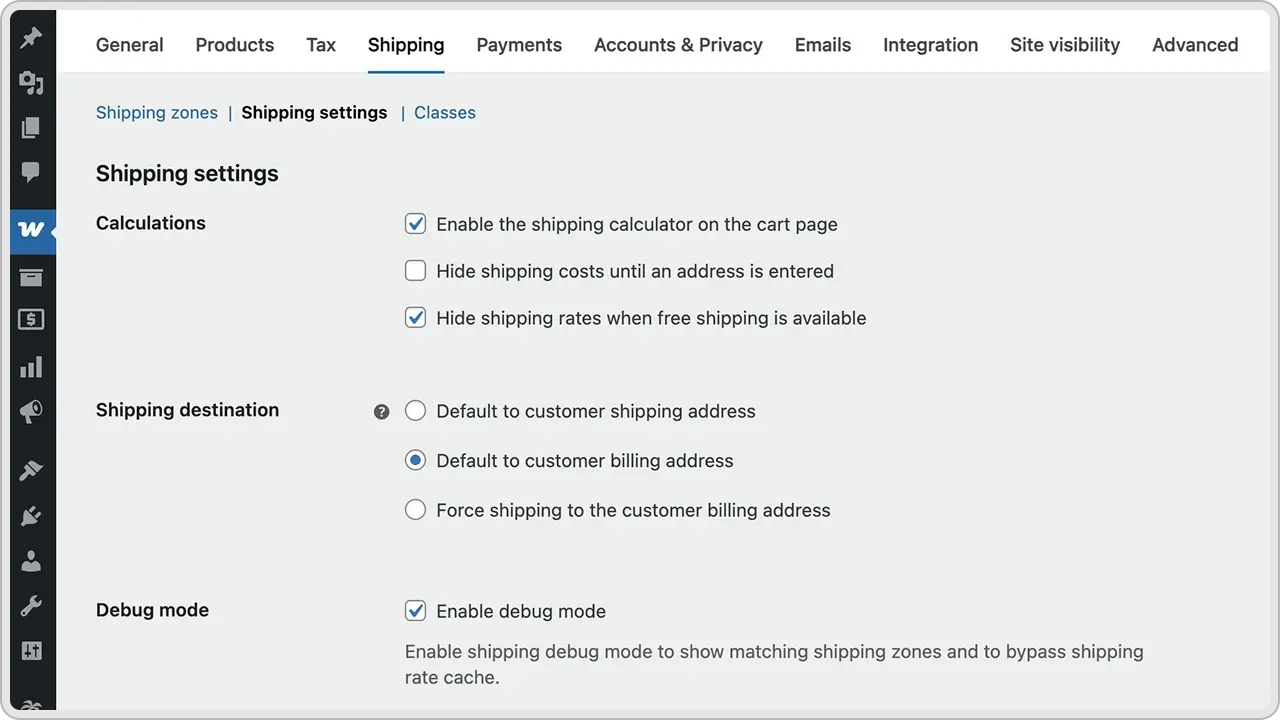
Inside the WooCommerce admin panel, finalize:
- Payment gateways
- Shipping zones and rates
- Tax rules
- Install plugins for marketing, analytics, or added functionality
5. Test and Verify Migration
Go through your WooCommerce site carefully to confirm:
- All products, orders, and customer information are intact
- Customer groups display correctly
- Checkout, logins, and payment gateways work smoothly
- No issues with site performance after the data migration
Post-Migration Tasks of PrestaShop to WooCommerce Migration
Once the migration is complete, your WooCommerce store still needs a few finishing touches to make sure it runs smoothly and performs at its best.
1. Optimize Site Speed and Performance
Run performance checks and apply speed optimization techniques. Compress images, enable caching, and review your hosting setup so your WooCommerce site loads quickly and can handle traffic spikes.
2. Maintain SEO and Rankings
Redirect old PrestaShop URLs to their new WooCommerce URLs to avoid broken links. Review your SEO settings, metadata, and search engine visibility to make sure you don’t lose ground in organic rankings.
3. Test Everything Thoroughly
Go through the store like a customer. Place test orders, log in with migrated customer data, and verify that payment gateways, customer passwords, and product pages work properly.
4. Enable Analytics and Tracking
Set up Google Analytics, Facebook Pixel, or other marketing tools inside the WordPress dashboard. This will give you insights into user behavior, conversion rates, and areas to improve.
5. Train Your Team
Walk your team through the WooCommerce admin panel. Teach them how to manage orders, update products, check customer information, and use installed plugins so they can confidently handle daily operations.
Common Challenges and How to Overcome Them
Even with the right tools, a PrestaShop to WooCommerce migration isn’t always smooth. Store owners often run into a few common issues, but the good news is that most of them can be solved with the right approach.
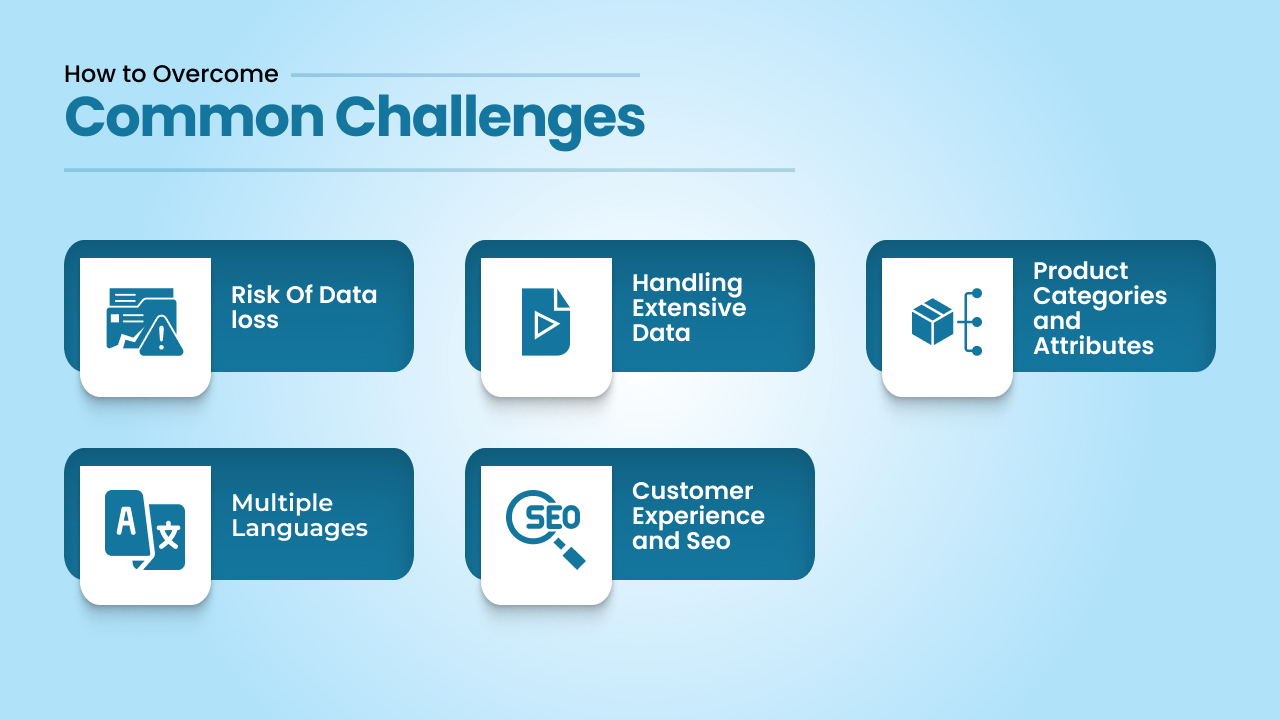
1. Risk of Data Loss
Moving large amounts of customer data, orders, and products can sometimes lead to missing records. The best way to prevent data loss is to run a free demo migration first, then double-check your exports before starting the full process. Always keep a full backup of your PrestaShop site as a safety net.
2. Handling Extensive Data
If your store has extensive data with thousands of products and orders, the migration may take longer or even time out. To handle this, use a reliable WooCommerce migration tool plugin designed for large databases, or consider working with a professional migration service that can manage heavy loads without interruptions.
3. Product Categories and Attributes
It’s common for product categories or custom attributes in PrestaShop not to map correctly in WooCommerce. To fix this, review your data mapping carefully before running the migration and test how categories appear in the WooCommerce admin panel.
4. Multiple Languages
Stores that run in multiple languages face extra challenges. Some PrestaShop multilingual settings may not automatically transfer. Using multilingual plugins in WooCommerce (like WPML or Polylang) can help maintain translations and ensure your WooCommerce site supports all your existing languages.
5. Customer Experience and SEO
If existing customers can’t log in after the migration or if your PrestaShop URLs are not redirected properly, you risk losing both traffic and sales. Always migrate customer passwords where possible and set up proper 301 redirects to maintain your SEO rankings on search engines.
How a WooCommerce Development Agency Can Help
For some store owners, handling a PrestaShop to WooCommerce migration alone can feel like a lot of work. That’s where a professional WooCommerce migration service be of great help.
Instead of spending days figuring out the technical details, an experienced agency can take care of the entire migration process while making sure your new store is built for long-term growth.
A good agency doesn’t just move your data. They also offer custom plugin development to add features you can’t get from a standard WordPress plugin, and provide customization options so your store looks and works the way you want.
If your business relies on other systems, they can set up API integrations that connect WooCommerce with CRMs, ERPs, or accounting tools, saving you time and effort.
Another big plus is ongoing support. Agencies typically handle WooCommerce website maintenance, apply regular security patches, and keep your store updated with the latest WooCommerce improvements. With ongoing support, you don’t have to worry about sudden issues like plugin conflicts or downtime.
In short, hiring a WooCommerce development agency gives you peace of mind. You get a WooCommerce site that not only migrates your existing store safely but is also ready to perform better, scale faster, and stay secure in the long run.
Conclusion
Migrating from a PrestaShop store to a WooCommerce store isn’t just about moving data. It’s about setting yourself up with a platform that gives you more control, more customization options, and access to the vast WordPress ecosystem. The process may sound technical, but with the right approach, whether through a migration tool, a free demo migration, or a professional WooCommerce migration service, it can be a seamless transition.
The key is to plan carefully, protect against data loss, and make sure your SEO URLs and customer information come across without issues. Once your new store is up and running, WooCommerce opens the door to better marketing tools, stronger site performance, and long-term flexibility.
If you’re serious about growth, this move is less of a hassle and more of an investment. Your products, your existing customers, and your brand deserve a platform that grows with you, and WooCommerce offers exactly that.
We’ll walk you through the options, recommend the best WooCommerce migration service for your store, and make sure your transition is seamless.